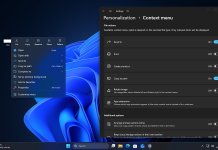
Microsoft is finally addressing one of the biggest complaints surrounding Windows 11: unnecessary ads, preloaded recommendations, and interface clutter. After years of criticism from users who felt the operating system was becoming overloaded with distractions, Microsoft appears to be making meaningful changes to deliver a cleaner, faster, and more user-friendly Windows experience.
The latest Windows 11 improvements focus on reducing unwanted content, simplifying the interface, and improving overall usability. These changes are gaining attention across tech communities and Google Discover because they directly target issues that everyday users have complained about since Windows 11 launched.
Why Windows 11 Users Were Frustrated
When Windows 11 debuted, it introduced a modern design, centered taskbar, refreshed Start menu, and tighter Microsoft ecosystem integration. However, many users quickly noticed several frustrations:
- Ads and promotional recommendations inside system menus
- Suggested apps and Microsoft services appearing in Start
- Widgets and MSN news feeds adding clutter
- Preinstalled apps that many users never needed
- Frequent prompts encouraging Edge, OneDrive, or Microsoft 365 usage
While some of these features were designed to improve discovery, many users felt the operating system was pushing unnecessary content rather than focusing on productivity.
Microsoft’s Shift Toward a Cleaner Windows 11 Experience
One of the most talked-about changes involves Microsoft reducing the visibility of the MSN-powered feed inside the Widgets panel. For years, Windows users criticized the news-heavy feed for adding unnecessary distractions and clutter to the desktop experience.
Instead of automatically pushing trending news, entertainment stories, and suggested articles, Microsoft is now exploring ways to make the Widgets experience feel more useful and less promotional. This change is especially important because many users felt the MSN feed made Windows 11 look overly busy.
The updated direction gives users more flexibility over what appears in Widgets, allowing them to prioritize productivity-focused information such as weather, calendar updates, reminders, or system-related shortcuts.
Microsoft’s decision to reduce MSN feed prominence signals a larger shift toward putting user preferences first rather than forcing content discovery inside the operating system.
Microsoft is now moving toward a more refined Windows 11 experience by reducing distractions across the operating system.
Recent updates and Insider builds suggest the company is actively listening to user feedback. Instead of prioritizing promotional panels and suggested content, Microsoft is focusing on usability improvements and a less crowded interface.
Key Changes Coming to Windows 11
Reduced Widget and News Feed Clutter
Windows 11’s Widgets panel has been criticized for displaying MSN news feeds and suggested content that many users rarely interact with. Microsoft is reportedly testing changes that make these feeds less intrusive, giving users a cleaner panel focused more on useful widgets.
Less Promotion Inside System Menus
Some Windows 11 areas previously highlighted Microsoft services through recommendations and prompts. Updates appear to reduce these interruptions, making the experience feel less like advertising and more like a productivity-focused operating system.
Better Control Over Suggested Content
Users may soon have more options to disable recommendations and suggested items within menus and the Start experience. Greater customization allows people to decide how much Microsoft content they actually want to see.
Improved System Performance
Reducing background suggestions, preloaded widgets, and unnecessary startup apps may also contribute to better responsiveness. Cleaner interfaces often lead to faster navigation and reduced distractions.
Why These Changes Matter
The move toward reducing ads and bloat is important because Windows remains the world’s most widely used desktop operating system. User trust plays a major role in platform loyalty.
For years, many Windows enthusiasts argued that Microsoft was adding too many promotional elements into the operating system. This led to criticism that Windows 11 felt heavier compared to older versions of Windows.
By removing friction and simplifying the interface, Microsoft can improve user satisfaction and make Windows 11 feel more polished.
Windows 11 Is Becoming More User-Focused
One of the biggest trends in technology right now is personalization. Users want software that adapts to their preferences instead of forcing content or services.
Microsoft’s recent direction suggests that Windows 11 may become more customizable, allowing users to:
- Hide unnecessary recommendations
- Reduce widget clutter
- Customize Start menu suggestions
- Minimize promotional notifications
- Gain better control over default experiences
This aligns Windows 11 with modern expectations, where users prefer clean, focused interfaces.
Competition Is Pushing Microsoft to Improve
Competition from alternative desktop platforms and growing criticism from power users likely influenced Microsoft’s strategy. Many users compare Windows 11 with cleaner operating systems that prioritize minimalism and speed.
As users become more vocal about interface design and privacy, Microsoft has greater incentive to reduce friction and improve overall usability.
What This Means for the Future of Windows 11
The shift away from ads and bloat may signal a broader redesign philosophy for future Windows updates.
Future improvements could include:
- Cleaner Start menu organization
- Reduced promotional content in Settings
- More transparent privacy controls
- Better system optimization
- Smarter AI features that remain optional instead of intrusive
These updates could help Windows 11 become more appealing to both casual users and enthusiasts.
Final Thoughts
Windows 11 is gradually moving toward a cleaner, more refined experience by addressing long-standing complaints about ads, recommendations, and interface clutter.
For users who felt frustrated by bloat and promotional content, these changes represent a positive shift in Microsoft’s strategy. A less distracting operating system can improve productivity, performance, and overall satisfaction.
As Microsoft continues refining Windows 11, the company appears to be focusing more on what users actually want: a streamlined operating system that prioritizes usability over unnecessary distractions.
Keep yourself updated with all latest news about Windows 11 by reading our full coverage here.
Please follow us on our Facebook page and X account for all latest and breaking Windows and Microsoft related news.