

Microsoft has started rolling out the Windows 11 June 2026 update (KB5094126) for versions 24H2 and 25H2. The June 2026 Patch Tuesday update brings OS Builds 26200.8655 and 26100.8655) for version 25H2 and 24H2 users. The update brings Shared Audio support, the new low-latency performance mode, camera enhancements, improved Windows Search, expanded NPU monitoring, Windows Hello optimizations, and several quality-of-life improvements across the operating system.
It also delivers important security fixes, Secure Boot certificate improvements, virtualization bug fixes, and includes all new features that were previously introduced through the May 2026 preview updates.
Windows 11 Gets Shared Audio Support
One of the most interesting additions in this release is Shared Audio, a new feature powered by Bluetooth LE Audio technology.
The feature allows two people to listen to audio from the same Windows 11 PC simultaneously using compatible Bluetooth earbuds or headphones. Whether you’re watching a movie, listening to music, or sharing a presentation, Shared Audio makes it much easier to enjoy content together without additional hardware.
The feature can be enabled directly from Quick Settings.
Faster Windows 11 Performance with Low-Latency Mode
Microsoft is also introducing a new Low Latency Profile designed to make Windows feel more responsive during everyday tasks.
The operating system can temporarily prioritize processor resources when users interact with key interface elements, resulting in quicker responses when:
- Opening apps
- Launching the Start menu
- Opening context menus
- Switching between windows
- Navigating Windows UI
The improvement is especially noticeable on systems with older hardware or under heavier workloads.
Camera Improvements for Streamers and Remote Workers
Windows 11 is gaining new camera controls that make webcams more flexible and easier to manage.
Use One Camera Across Multiple Apps
Users can now allow multiple applications to access the same camera feed simultaneously.
This is useful for:
- Live streaming
- Video conferencing
- Online teaching
- Content creation
New Basic Camera Mode
Microsoft has also introduced a Basic Camera option that helps troubleshoot webcam issues and improve compatibility when advanced camera features are causing problems.
Task Manager Gets Better AI Hardware Monitoring
As AI PCs become more common, Windows 11 is adding deeper visibility into Neural Processing Unit (NPU) performance.
Task Manager can now display:
- NPU utilization
- Active NPU engines
- Dedicated NPU memory
- Shared NPU memory usage
Microsoft has also added an Isolation column that identifies applications running inside AppContainer sandboxes.
Windows Setup Finally Gets a Long-Requested Improvement
Users setting up a new Windows 11 PC can now choose a custom name for their user profile folder during the Out-of-Box Experience (OOBE).
Previously, Windows often generated shortened folder names automatically based on Microsoft account information, which many users found frustrating.
The new option gives users greater control over folder organization from day one.
Faster Windows Hello Authentication
Microsoft has optimized the Windows Biometric Service to improve sign-in speeds after devices wake from sleep.
Users may notice:
- Faster facial recognition
- Quicker fingerprint authentication
- Reduced delays after Modern Standby
Windows Search Gets Smarter
Windows Search has been updated to better locate files and content using shorter search terms.
Microsoft says users can now find files using search queries as short as two characters, improving discoverability and reducing search frustrations.
Additional Improvements
The June update also includes several smaller enhancements:
- Improved desktop background color matching
- Better storage volume size controls
- Settings app refinements
- General stability improvements
- Performance optimizations across Windows 11
Security and Reliability Fixes
Alongside the new features, KB5094126 delivers Microsoft’s monthly security updates and several important reliability fixes.
Secure Boot Certificate Improvements
Microsoft continues preparing Windows devices for the expiration of older Secure Boot certificates beginning in June 2026.
The update expands deployment of new Secure Boot certificates through Windows Update and improves device targeting to ensure eligible systems receive the required updates.
Fix for Hypervisor and Gaming Crashes
Microsoft has resolved an issue affecting some devices after previous updates that could trigger:
- HYPERVISOR_ERROR (0x20001)
- KMODE_EXCEPTION_NOT_HANDLED (0x1E)
The bug could occur during:
- Virtual machine operations
- System restarts
- Certain gaming workloads
The fix should improve overall system stability.
Updated AI Components
Microsoft has also updated several Windows AI components, including:
- Image Search
- Content Extraction
- Semantic Analysis
- Settings Model
These updates are primarily intended for Copilot+ PCs and AI-powered Windows experiences.
How to Install the Windows 11 June 2026 Update
The update is rolling out automatically through Windows Update.
To install it manually:
- Open Settings
- Navigate to Windows Update
- Click Check for updates
- Download and install KB5094126
- Restart your PC when prompted
Users can also enable Get the latest updates as soon as they’re available to receive new features more quickly.
Download link
You can download and manually install Windows 11 update KB5094126 by clicking here. If you need help in understanding how to install these updates manually on your PC, you can refer to our step-by-step noob-friendly tutorial.
Availability
KB5094126 is now available for Windows 11 version 24H2 and version 25H2 devices.
As a mandatory Patch Tuesday release, the update includes all previously released improvements from May 2026 along with the latest security fixes and servicing stack enhancements.
Stay tuned to WinCentral for all latest news about Windows 11 update related news and keep reading our full coverage here.
Please follow us on our Facebook page and X account for all latest and breaking Windows and Microsoft related news.



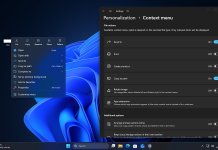


 with Shared Audio, faster performance, improved camera controls, better Windows Search, NPU monitoring upgrades, and important security fixes. %%sep%% Read in %%primary_category%% on %%sitename%%)