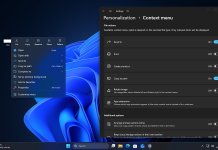
Microsoft has rolled out a new optional Windows 11 preview update — KB5083631 — for versions 24H2 and 25H2. The update upgrades systems to OS Builds 26100.8328 and 26200.8328 and introduces performance improvements, gaming enhancements, File Explorer fixes, and several quality-of-life upgrades ahead of broader rollout.
This latest non-security preview update gives users an early look at features expected to arrive in future Patch Tuesday releases, making it important for enthusiasts, testers, and power users.
Windows 11 KB5083631: What’s New?
The April 30, 2026 preview update focuses heavily on speed, reliability, and usability across Windows 11.
Faster Startup App Performance
Microsoft has improved how Windows launches startup apps after boot. Devices should now feel faster immediately after login, especially on systems with multiple background applications enabled.
Xbox Mode Expands to Windows PCs
One of the biggest additions tied to this update is the early rollout of Xbox Mode for PCs. This feature creates a console-like interface optimized for controllers and gaming sessions.
Xbox Mode reduces distractions by prioritizing games and streamlining navigation for full-screen gaming experiences.
File Explorer Gets Reliability Improvements
Microsoft continues refining File Explorer with fixes aimed at improving consistency and usability.
Changes include:
- Better handling of downloaded files
- Improved preview behavior
- More reliable navigation experience
- Reduced UI inconsistencies across folders and search actions
These fixes are designed to make everyday file management smoother.
Display and Graphics Enhancements
KB5083631 improves how Windows manages monitor color profiles.
Users with supported displays may notice:
- Better color profile persistence
- Improved monitor compatibility
- More reliable graphics configuration retention after reboot
These refinements are particularly useful for creators and multi-monitor setups.
Delivery Optimization Memory Fixes
Microsoft also addressed memory usage in Delivery Optimization.
The update reduces the likelihood of unusually high memory consumption during background update delivery processes, improving overall system stability.
Additional Windows 11 Improvements Included
Beyond headline features, KB5083631 introduces multiple under-the-hood upgrades:
- Improved Settings app responsiveness
- Better update reliability
- Enhanced startup responsiveness
- Stability fixes for background services
- Continued modernization of Windows 11 UI components
These refinements help Windows feel smoother without requiring major redesigns.
Windows 11 KB5083631 Supported Versions
The preview update applies to:
- Windows 11 Version 24H2
- Windows 11 Version 25H2
It upgrades devices to:
- Build 26100.8328
- Build 26200.8328
Microsoft confirms this is an optional non-security preview update, meaning users can install it manually through Windows Update.
How to Install KB5083631
To install the update:
- Open Settings
- Go to Windows Update
- Click Check for updates
- Select KB5083631 Preview
- Install and restart your PC
Advanced users can also download the offline installer through the Microsoft Update Catalog.
Download link
You can download and manually install Windows 11 update KB5083631 by clicking here. If you need help in understanding how to install these updates manually on your PC, you can refer to our step-by-step noob-friendly tutorial.
Should You Install KB5083631?
If you want early access to upcoming Windows 11 improvements, KB5083631 is worth testing.
You should install it if you:
- Want faster startup performance
- Use gaming-focused features
- Prefer early access to Windows enhancements
- Need File Explorer reliability fixes
However, because this is a preview release, business users or mission-critical PCs may prefer waiting for the final public rollout.
Final Thoughts
Windows 11 KB5083631 may not be a major redesign, but it delivers meaningful refinements. Faster startup behavior, Xbox Mode, File Explorer upgrades, and memory optimizations show Microsoft’s ongoing focus on improving everyday usability.
For users running Windows 11 24H2 or 25H2, this preview update offers a glimpse into where the platform is heading next.
New Windows 11 Features and Improvements coming next
You can read about new features and improvements coming to Windows 11 Start Menu, Taskbar, and Task Manager (NPU AI tracking), refreshed run dialog in our latest coverage.
Microsoft has also delivered Major File Explorer, System Performance, and Update Improvements recently. Stay tuned to WinCentral for all latest news about Windows 11 and keep reading our full coverage here.
Please follow us on our Facebook page and X account for all latest and breaking Windows and Microsoft related news.